Hoply. Every chain in one view.
Building a Solana-native gateway to a multichain world. Discover networks. Explore routes. Move with clarity.
$HOPLY contract address arrives at launch
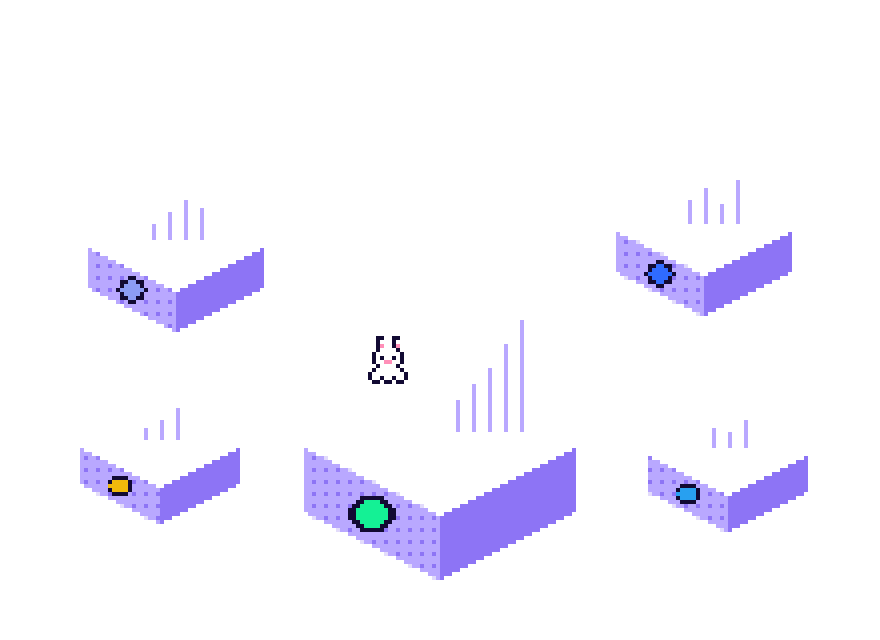




Chain heads
The latest block or slot each chain reported.
 Solana—
 Ethereum—
 Base—
Base—Read just now
Sums over the eight tracked chains.
100 USDC, Solana to Base
A sample comparison, refreshed every 15 minutes.
A plain transfer now
Network fee only, priced in dollars.
Solana—Base— Arbitrum—
Solana right now
Read from a public Solana RPC.
$HOPLY
What exists today and what is only planned.
 POL —
POL — AVAX —
Read live across eight chains.
From public sources, refreshed every 30 seconds.
Eight chains. One view.
Solana first, then the networks people move between most. Every chain gets the same columns, so comparing is a glance.
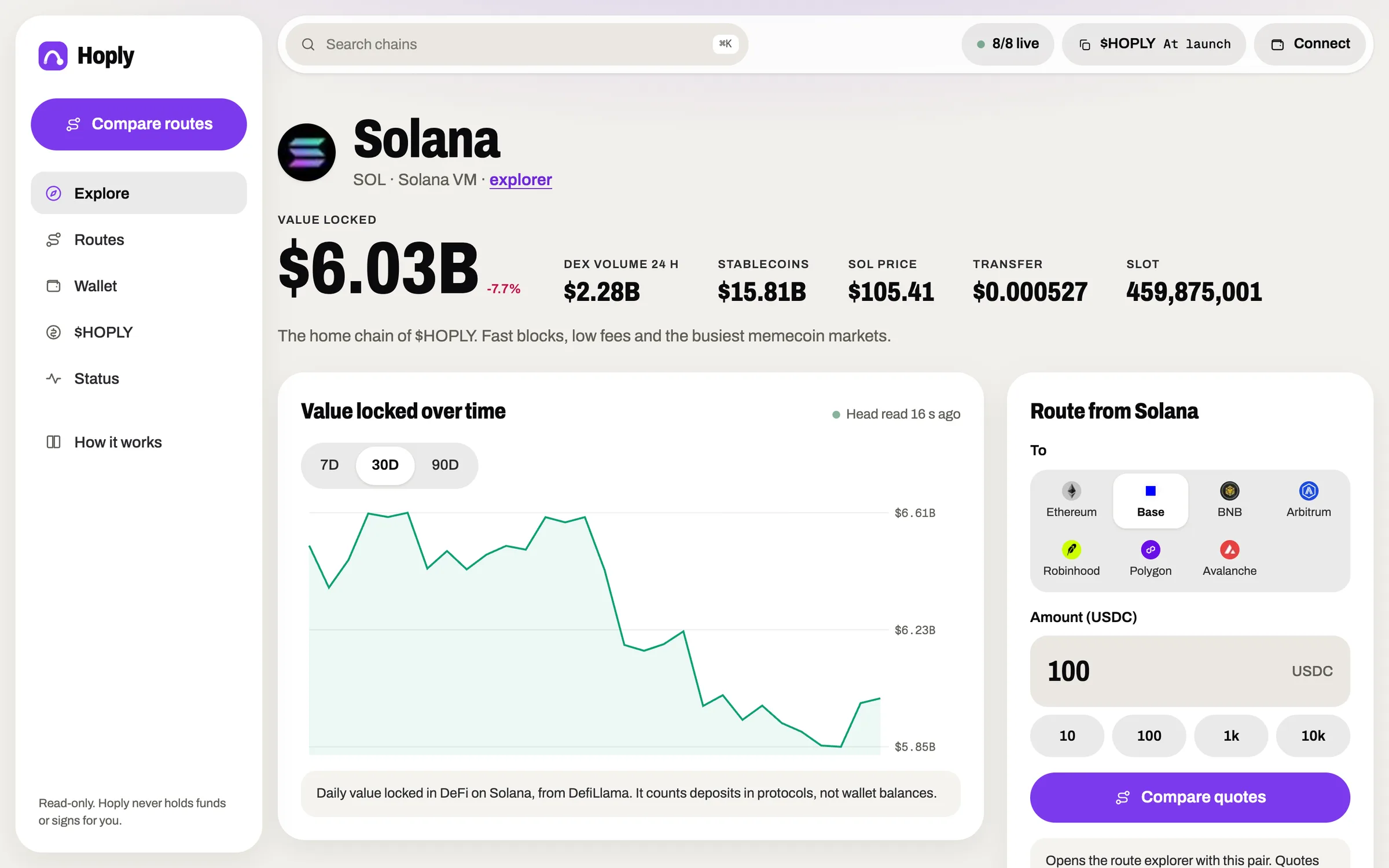
Solana
The home chain of $HOPLY. Fast blocks, low fees and the busiest memecoin markets.
DEX volume, 24 h —Ethereum
The deepest pool of on-chain value. Settles slower and costs more per move.
DEX volume, 24 h —Base
An Ethereum layer 2 with low fees and a large app crowd.
DEX volume, 24 h —
BNB Chain
A busy EVM chain with cheap gas. Its USDC uses 18 decimals, not 6.
DEX volume, 24 h —Arbitrum
An Ethereum layer 2 known for derivatives and DeFi depth.
DEX volume, 24 h —Also tracked: Robinhood Chain, Polygon, Avalanche. See all eight
Ten tabs, or one.
Looking across chains usually means juggling explorers, dashboards and bridge sites that each speak their own format.
The usual way
- Finding data
- A tab per chain explorer
- Comparing chains
- Numbers in different formats
- Moving value
- One bridge site at a time
- Fees
- Found out after you sign
- Freshness
- Unclear when it was read
Hoply.
- Finding data
- Eight chains on one page
- Comparing chains
- Same columns for every chain
- Moving value
- Four quote services side by side
- Fees
- Transfer cost shown in dollars first
- Freshness
- Every panel says when it was read
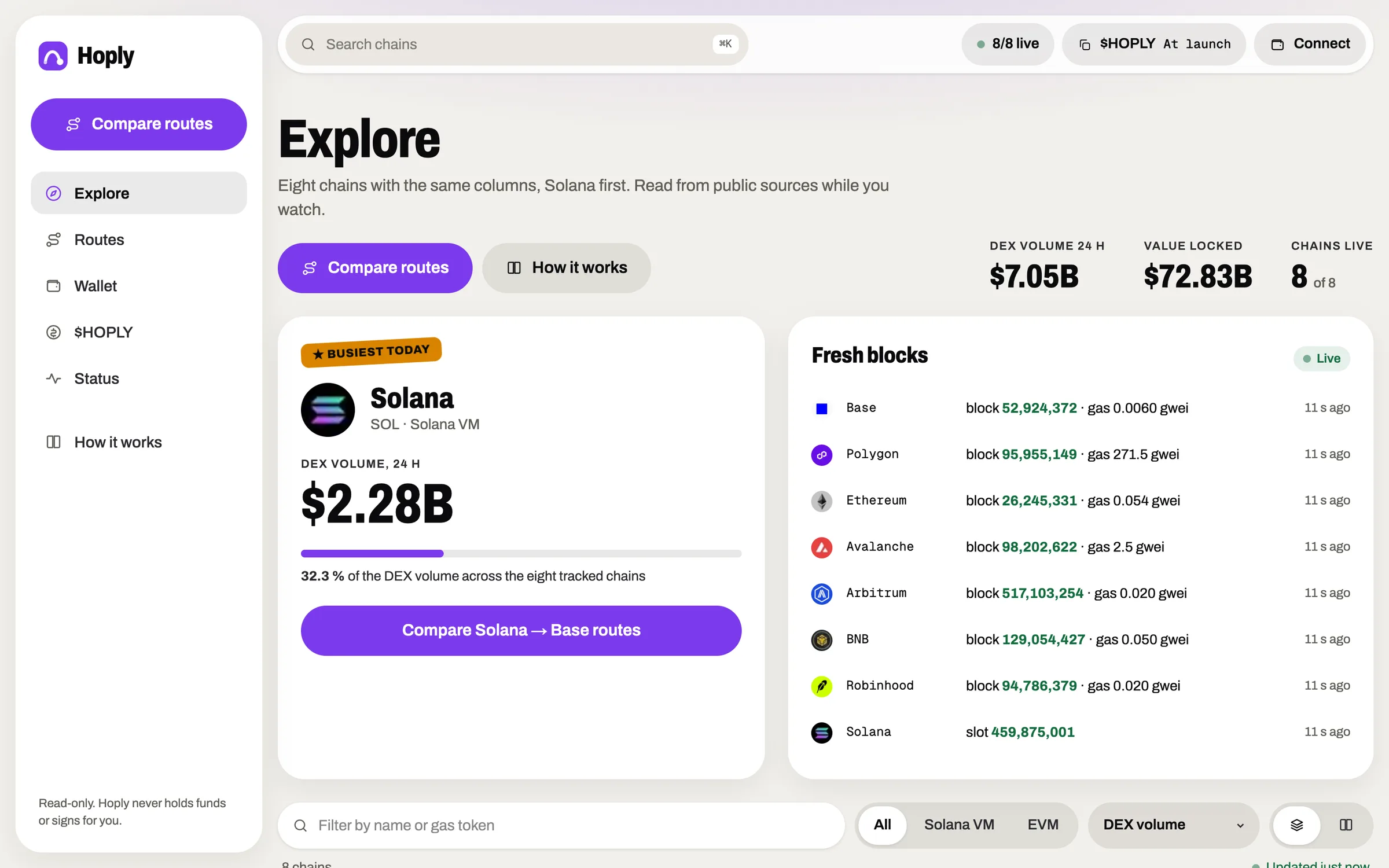
The whole map on one page.
Real screens from the app you can open right now. Every chain's numbers in one grid, each card a door to the details.
How it works.
Four steps, and the last one is yours. Hoply reads and compares; it never moves anything.
 01
01Pick a chain
Start from Solana or any of the seven others. Search by name from anywhere in the app.
 02
02Read the numbers
TVL, DEX volume, stablecoins, newest block and gas, each with its source and age.
 03
03Compare routes
Choose two chains and an amount. Public quote services answer; you see them ranked.
 04
04Decide in your wallet
Hoply stops at information. Any move happens in the service you choose, signed by you.
Fees decide where small moves make sense.
A transfer fee is a fixed cost. Slide the amount and watch how much of it each chain's fee would take today.
The network fee does not grow with the amount, so it matters most on small moves.
Solana Ethereum Base BNB Chain ArbitrumNetwork fee for one plain transfer of the gas token. Layer 2 data fees and Solana priority fees come on top.
Chain heads, read live
Slowest answer right now —
Solana— Ethereum— Base— BNB Chain— Arbitrum—Each number is the newest block (or slot, on Solana) the chain's public RPC returned to our server. It is read again every 20 seconds.
Start on Solana. Land on Base.
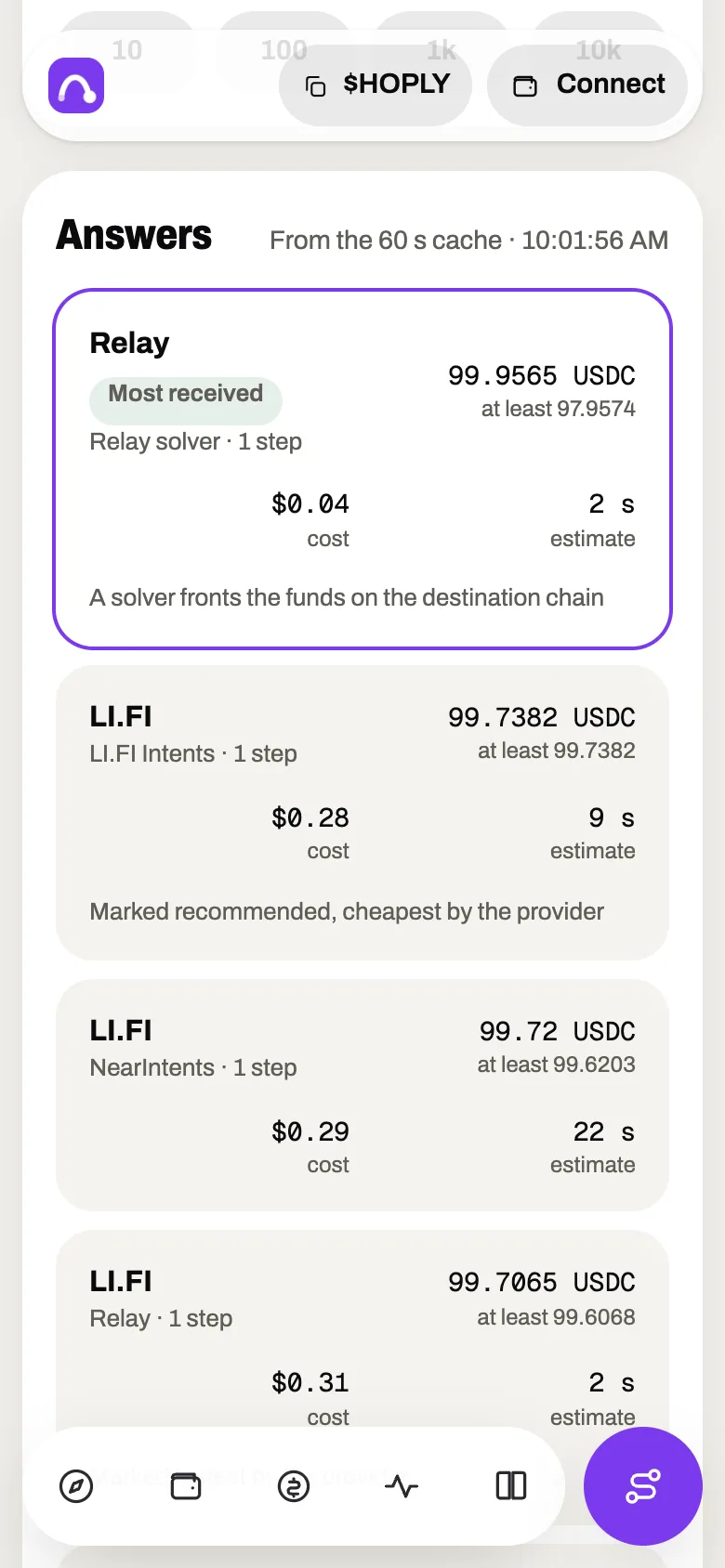
The route explorer puts the same question to four quote services and shows every answer. This sample runs on its own, so you can see real numbers before you try a pair.
You hold 100 USDC
on Solana, in the wallet you already use
You want it on Base
same dollars, different chain

Hoply asks around
four public quote services, answers side by side
Read — · refreshed every 15 minutes · try your own pair
Look before you hop.
Pick two chains and an amount. See what arrives, how long it takes and what it costs, from each service that answers.
$HOPLY utility is a plan.
Calling a token useful does not make it useful. These are the uses we intend to build, shown as plans until they exist.
No $HOPLY feature is live yet. Holding it gives no access, discount or reward on this site today.
What $HOPLY is meant for
Why the order
The dashboard and the route comparison come first because they help today without a token. A use for $HOPLY gets built only when there is a service it can honestly plug into. The bars show build order, not size or value.
Read only. Hands off.
A discovery tool should not need your keys. Hoply is built so that it cannot touch your funds, even by mistake.

- Never holds fundsThere is no deposit, vault or pool of ours. Your assets stay in your wallet.
- Never signs for youConnecting reads your balance. The site has no button that asks your wallet to sign.
- Shows, does not executeRoute quotes are displayed only. We do not request or relay transaction data.
- Says how old it isPanels show when they were read, and a missing source shows a dash, not a guess.
- Names every sourceEach number traces back to a public API you can call yourself. The list is below.
Open sources.
Every number on this site comes from one of these public endpoints. Call them yourself to check us.
api.llama.fi/v2/chainsOpenDefiLlama · DEX volumeapi.llama.fi/overview/dexs/<chain>OpenDefiLlama · stablecoinsstablecoins.llama.fi/stablecoinchainsOpenChain RPCs · blocks and gaspublicnode.com endpoints, one per chainOpenRoute quotesLI.FI · Relay · deBridge · Mayan public APIsOpenThe $HOPLY mint address is added to this list on launch day.
Questions.
Longer answers live in How it works
What is Hoply?
Hoply is a discovery dashboard that starts on Solana and looks across 8 networks. It shows each chain's value locked in DeFi, DEX volume, stablecoin supply, newest block and current transfer fee, and lets you compare cross-chain quotes from public services. $HOPLY is its token on Solana.
How does Hoply work?
Our server reads public sources that need no account: DefiLlama for TVL, DEX volume, stablecoins and gas token prices, and each chain's public RPC for blocks and gas. Answers are cached for a short time and shown with the time they were read. Route quotes come from four public quote APIs and are only displayed.
Does Hoply move my funds?
No. Hoply never holds funds, never builds a transaction for you and never asks your wallet to sign anything. Connecting a Solana wallet only lets the site read your SOL balance (and your $HOPLY balance after launch). If you decide to move assets, you do it in the service you picked, with your own wallet.
How accurate are the route quotes?
A quote is one service's estimate at one moment. Prices, fees and liquidity change, and the amount you finally receive is set by the service you use, not by us. We show the minimum the service promises when it gives one, and the time the answers were read.
How do I buy $HOPLY?
$HOPLY launches on pump.fun, on Solana. Every buy button on this site opens the pump.fun page for the token. Until launch the contract address reads "At launch" and the copy buttons stay off, so nobody can pass you a fake address from here.
Which network is Hoply on?
$HOPLY lives on Solana. The dashboard also reads Ethereum, Base, BNB Chain, Arbitrum, Robinhood Chain, Polygon and Avalanche, because the point is to see beyond one chain.
What will $HOPLY be used for?
The plans are access to deeper analytics, incentives for people who help the ecosystem, and lower service fees if a paid service ever exists. None of these is live. Holding $HOPLY gives no access, discount or reward on this site today.
What are the risks of using Hoply?
Hoply runs no on-chain program and holds no funds, so using the site cannot move your assets. The real risks sit elsewhere: a public source can be late or wrong, a quote can change before you act, and any bridge or service you choose carries its own risk. $HOPLY itself can lose value. Check the source and the service before you move anything.
Which wallets work?
Any Solana wallet that follows the Wallet Standard, such as Phantom, Solflare or Backpack, shows up in the connect dialog by itself. EVM wallets are not needed: the other chains are read, not used.
Is this financial advice?
No. The numbers are public data, shown as they arrive. They can be late, wrong or missing when a source is down. Check the source and your own situation before you act.